What end-to-end testing is for, how e2e lets an AI agent take over the brittle parts, and how to go from an empty folder to a passing test in ten minutes.
Module 01 ~40 min read + lab TypeScriptnpx e2e init and read every file it creates.npx e2e run and read the result summary.Prerequisites: basic JavaScript or TypeScript (async/await), a terminal, and Node.js 24.8 or newer (or 22.22.3+ on the Node 22 line). On Windows, work inside WSL.
Every terminal and app screenshot in this course comes from real runs we did for the course on 9 October 2026, with e2e 0.18.0 (the stable release) and Google's gemini-3.8-flash model. The official docs already describe the 0.19 nightly; where the two differ, the module says so.
A unit test checks one function. An integration test checks that a few parts talk to each other. An end-to-end test checks the whole product the way a user meets it: it opens the real app, clicks, types, and checks what appears on the screen. It is the only kind of test that would notice that the sign-up button is hidden behind a cookie banner, even though every function behind it works.
The price has always been maintenance. A classic E2E script is a list of selectors and waits: click #cta, wait for .form, type into input[name=email]. Rename a button or move a field and the script breaks, even though a person would still sign up without trouble. Teams end up with slow, flaky suites they stop trusting.
e2e is an open-source framework for web and mobile apps that lets you choose, step by step, how much of a test is scripted and how much is handed to an AI agent. You can write a goal such as "sign up for a free trial" and let the agent work out the clicks, then check the result with an exact assertion.
Every e2e test is built from the same few pieces, which you will meet properly in Module 2:
expectExact and repeatable. screen.getByRole('button', 'Start free trial') finds one element; expect(...) checks it. No model involved.
agent.actA sentence the agent completes by operating the app. Verified steps are cached and replayed later without calling the model.
agent.assertA question about the screen that the model answers, such as "the welcome screen greets Ada by name". Always calls the model.
Under the hood, each test runs once per target. The web engine drives Chromium, Firefox or WebKit through Playwright; the mobile engine drives iOS simulators and Android emulators through agent-device. The same test API works on both, which is why this course can cover web and mobile in five modules.
npx e2e initRun the wizard in your app's folder (or an empty one). It asks for the engine (Web or Mobile), a model provider for agent steps, and where to install the coding-agent skill and MCP config. The --yes flag accepts the defaults: the Web engine, the Vercel AI Gateway, both skill locations, and no dependency install.
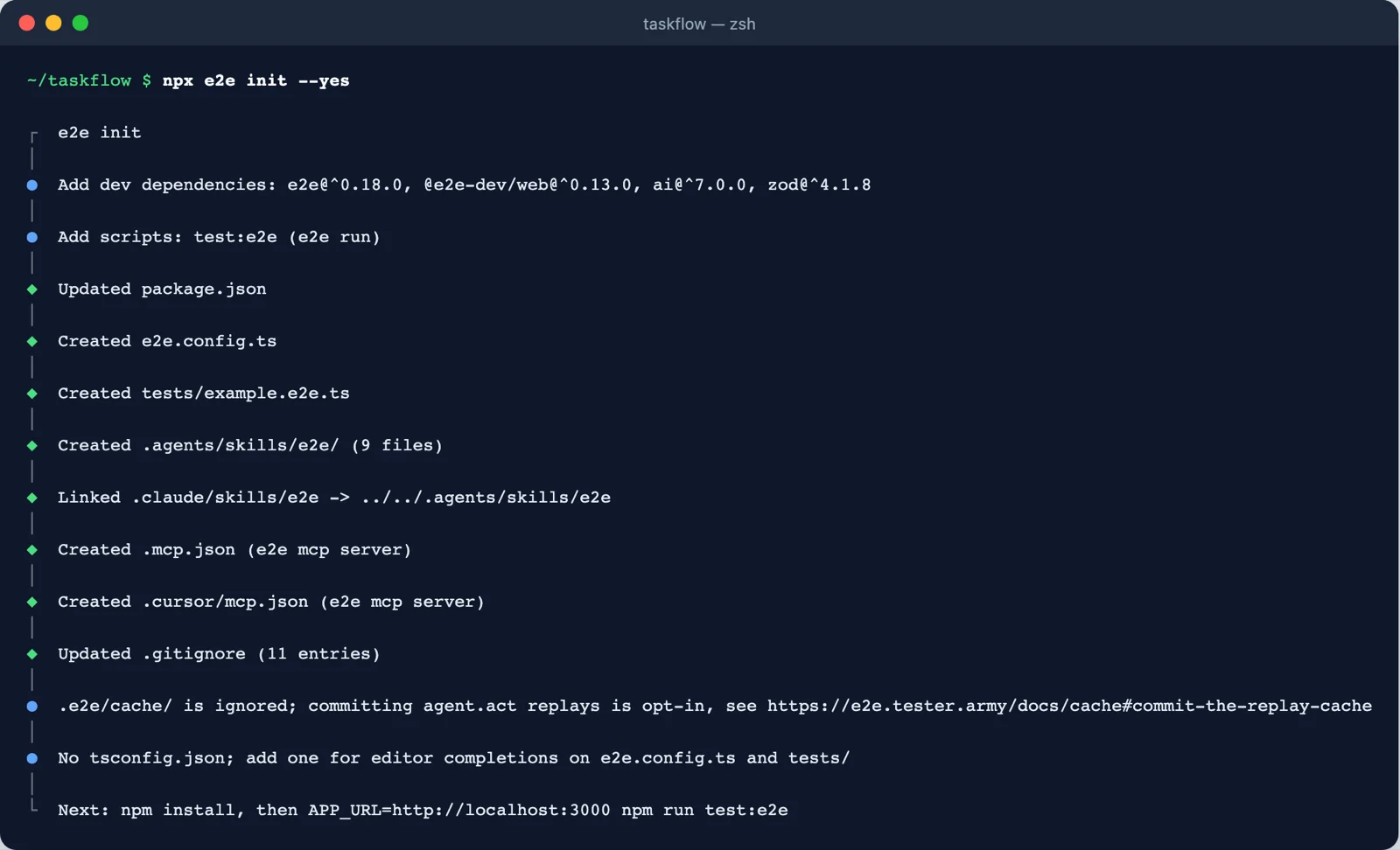
npx e2e init --yes. It adds four dev dependencies and a test:e2e script, then writes the config, an example test, the agent skill and MCP config for Claude Code and Cursor. Screenshot: course run, e2e 0.18.0.| File | What it is for |
|---|---|
e2e.config.ts | Targets (which app, which engine) and agents (which model). |
tests/example.e2e.ts | A first test. Test files end in .e2e.ts. |
.agents/skills/e2e/ and .claude/skills/e2e | The e2e skill: instructions a coding agent reads before writing or fixing tests. npx e2e guide prints it. |
.mcp.json, .cursor/mcp.json | Registers the e2e mcp server so a coding agent can drive a live app session. |
.gitignore entries | Keeps .e2e/ run output (artifacts, cache, reports) out of git. |
This is the config we used for the whole course. It differs from the generated one in two places: the model comes from Google (we had a Gemini key), and the runner starts the app itself, so you never forget to.
agents.default.model is any AI SDK model. The generated file uses gateway('openai/gpt-6-luna-fast') from the Vercel AI Gateway.targets lists where tests run. Here one web target; Module 4 adds Android.app.command tells the runner how to start the app. It waits until app.url answers and stops the app when the run ends. The command runs without a shell, so list the executable and its arguments separately.Only agent steps need a model; a test made only of locators and expect runs with no model at all. There are three ways to connect one:
| Option | How | Example |
|---|---|---|
| API key | Install the provider package and set its environment variable | npm i -D @ai-sdk/google, GOOGLE_GENERATIVE_AI_API_KEY; also OpenAI, Anthropic, Bedrock, Mistral, Groq and about 25 more |
| Subscription | Sign in once with npx e2e login <provider> | openai (ChatGPT Plus/Pro), github-copilot, opencode-console, spacexai (SuperGrok); a Claude Max or Team plan works through an API key paid from its credits |
| Local model | Point at an OpenAI-compatible server | Ollama, LM Studio, NVIDIA NIM |
Put keys in the environment (for example export GOOGLE_GENERATIVE_AI_API_KEY=...), not in e2e.config.ts. In CI they become repository secrets (Module 5).
Throughout the course we test TaskFlow, a one-page app with a landing page, a sign-up form and a welcome screen. It is a single HTML file, so you can build it in the lab below.
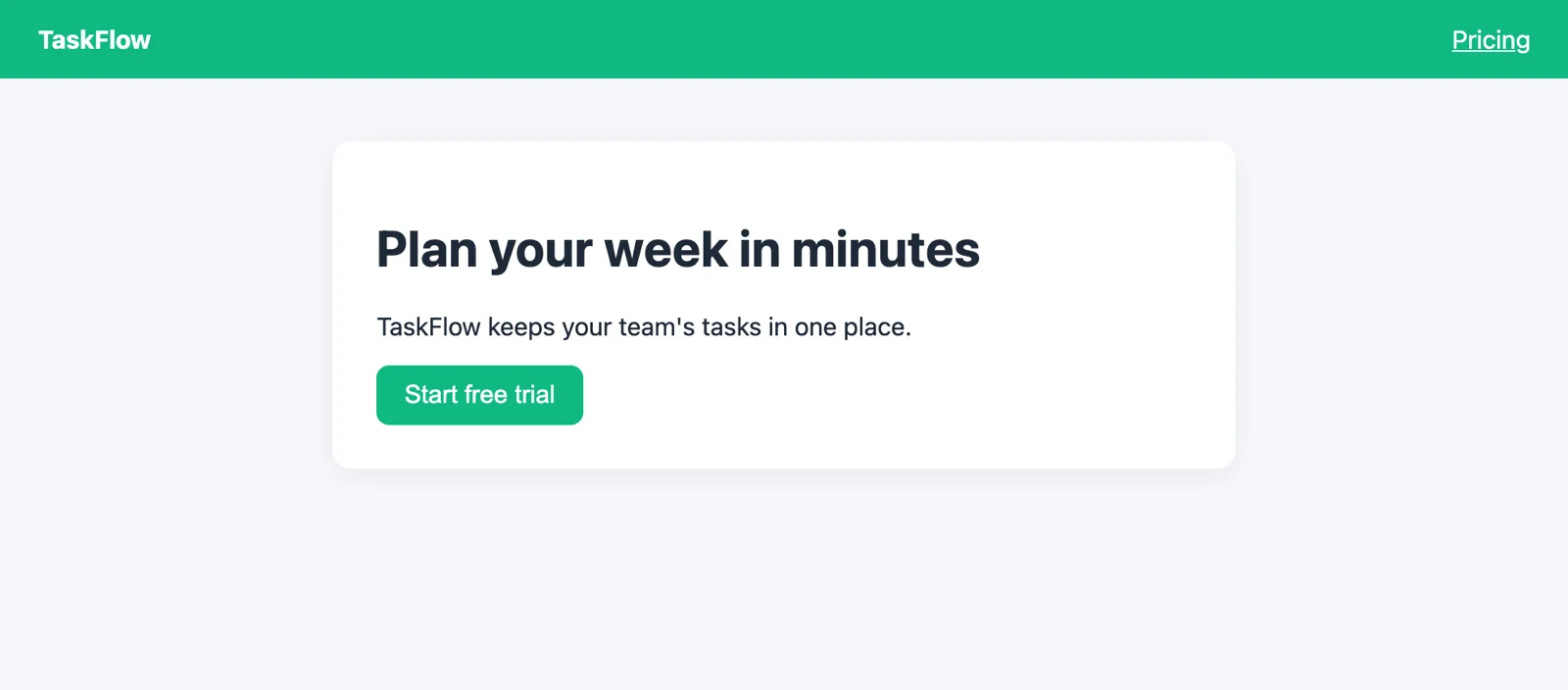
Two tests. The first is the generated example: open the page and check that it rendered. The second is a mixed test, straight from the e2e quickstart: a goal does the sign-up, the model judges the welcome screen, and an exact assertion checks the status text.
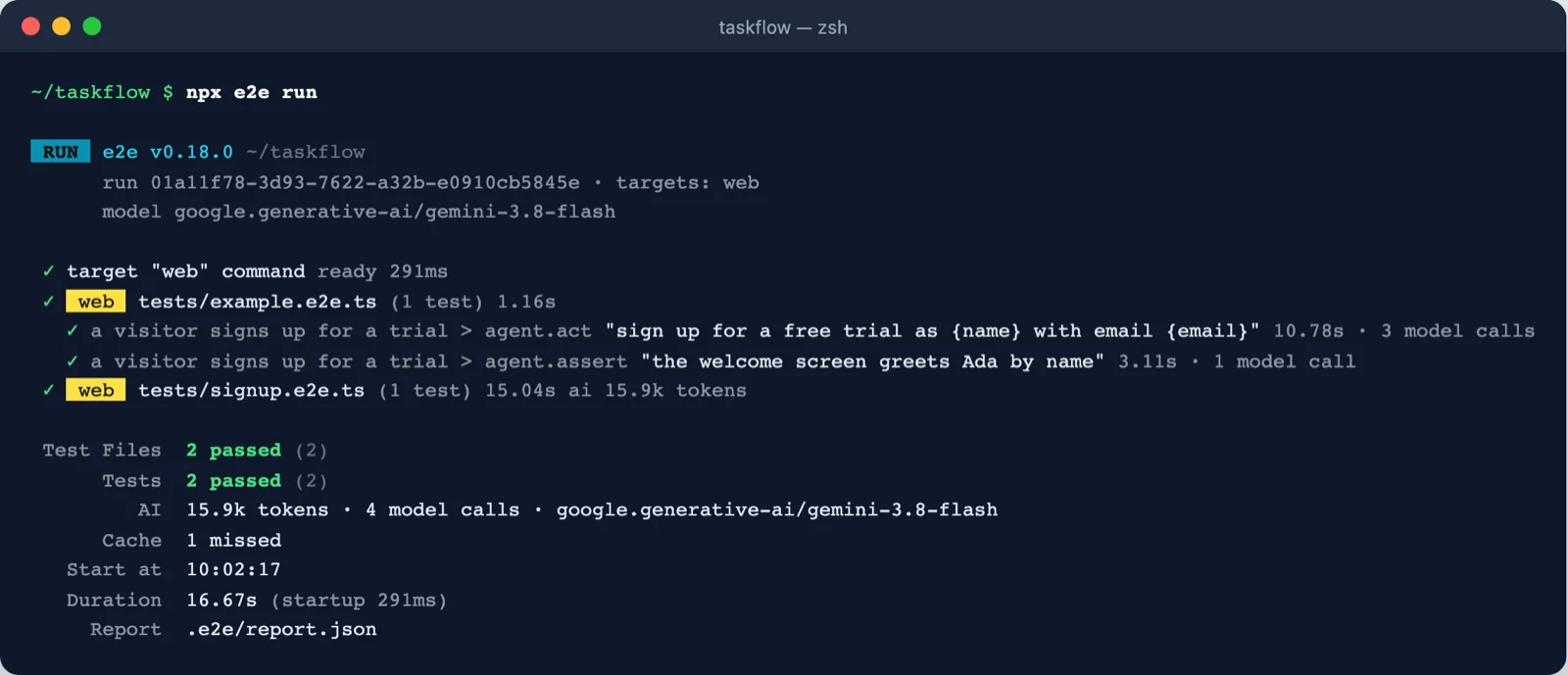
Cache 1 missed: nothing was cached yet. Screenshot: course run.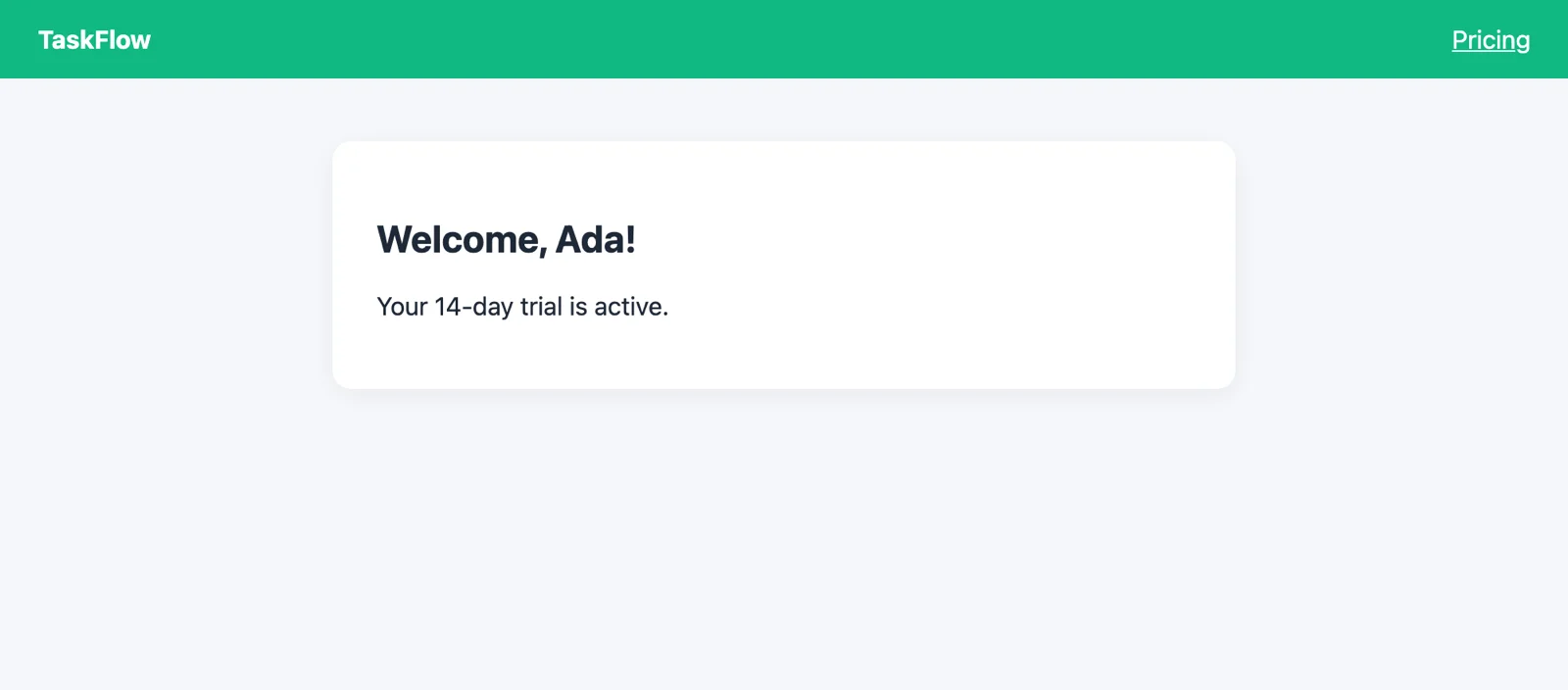
params. Screenshot: course demo app.npx e2e init · npx e2e run [files] · npx e2e guide [topic] (the skill, readable by you or an agent) · npx e2e login <provider> · npx agent-device doctor (mobile setup check).
The quickstart also gives a single prompt for Claude Code, Codex, Cursor or another coding agent. Paste it in your app's folder; the agent runs init, reads the skill, points the config at your app, asks which model to use, and iterates until the example and one real test pass.
Do the manual route at least once, as in the lab, so you know what the agent is doing on your behalf.
About 20 minutes. You need Node.js 24.8+, Python 3 (only to serve the page) and one model key or subscription.
Save this as app/index.html. The typo in the checkbox label is on purpose; an agent will find it in Module 5.
Replace e2e.config.ts with the config in section 4 (swap the model for yours), keep tests/example.e2e.ts, and add tests/signup.e2e.ts from section 6.
Set your key and run npx e2e run. Both tests should pass. Note the token count and model calls in the summary; you will compare them in Module 2.
node -v; you need 24.8+ (or 22.22.3+).url and args, or use port 0 and {port} so the runner picks a free one.<label for>. The agent, like a screen reader, finds elements by role and accessible name.Pick one answer per question, then check your score.
All screenshots are from runs made for this course. The diagram was drawn for this course.
expect with agent goals (agent.act) and judgements (agent.assert).npx e2e init writes the config, an example test, the coding-agent skill and MCP config.e2e login, or a local server.npx e2e run starts your app (with app.command), runs every target, and reports tokens, model calls and cache use.Related on this site: Testing AI-generated code (Vibe Coding) · CI/CD (DevOps Lab)
